Introducing Huxly: Real Mobile Apps from a Prompt
Today we're launching Huxly in public beta. In one sentence: you describe the app you want, and Huxly builds a real, native mobile app you can preview live and ship to the App Store — no Xcode, no Mac, no code required.
Every other path to a mobile app is broken. Hiring a developer costs thousands and takes months. Learning Swift or React Native is a year of your life before you ship anything real. No-code tools feel fine until you hit the first custom requirement, and then you're stuck inside a walled garden you can't escape without rebuilding from scratch. The AI website builders you've seen this year — Bolt, v0, Lovable — are great, but they ship web apps dressed up as mobile, not real native apps you can put in the App Store.
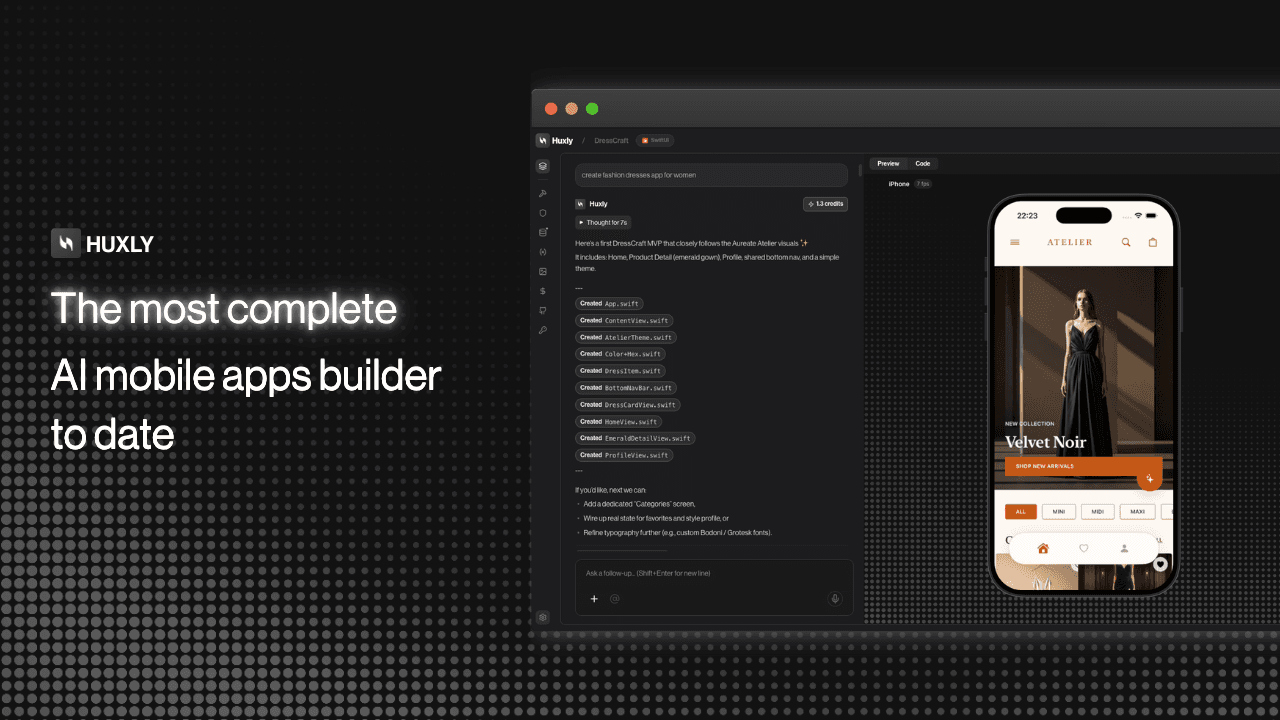
Huxly is the path that's missing. You type what you want. The AI writes real, idiomatic code in Expo, Flutter, or SwiftUI — the same frameworks senior mobile engineers use every day. You see it running live in a native simulator streamed to your browser. When you're ready, one button ships it to TestFlight and the App Store.
We built Huxly around three frameworks on purpose. Expo (React Native) if you come from web and want JavaScript with the biggest ecosystem. Flutter if you want pixel-perfect UI that looks identical on iOS and Android. SwiftUI if you want the most native-feeling iPhone experience Apple can produce. Each has a different tradeoff and Huxly lets you pick the right one per project — then writes the code like someone who's shipped a hundred apps in that framework.
The AI isn't a one-shot prompt-to-code tool. Under the hood, a planning agent breaks your request into files and dependencies, a coding agent writes them with full project context, and a review pass catches the bugs that first-draft code always has. That's why Huxly can add a full shopping cart across six files without losing the thread, and why "add pull-to-refresh to the feed" becomes a clean, correct change instead of a tangle of spaghetti.
The preview is the part that makes the whole thing click. Every edit shows up in a real simulator — an actual iOS Simulator for SwiftUI, real Flutter and Expo runtimes for the others — streamed live to your browser. You're not staring at a code diff hoping it works. You're tapping buttons, scrolling lists, and seeing exactly what your users will see, seconds after you asked for the change.
When you're ready to ship, connect your Apple Developer or Google Play account once. Huxly handles code signing, TestFlight uploads, screenshots across device sizes, and App Store submission. Windows developer? No problem — we run the macOS build in the cloud. You never open Xcode.
Everything you build is yours. The code is yours, exportable to GitHub the moment you want it. No lock-in, no runtime fees, no "powered by Huxly" watermark on your app. If you decide one day to hand the project to a developer, they get a clean, modern codebase they can read and extend.
The free plan is enough to build and preview your first app. Pro unlocks unlimited projects, cloud builds, and one-click submission. We're a small team shipping fast, and the roadmap is stacked: custom backend templates, deeper Figma import, multi-screen flows from a single prompt, and a lot more we're not ready to announce yet.
If you've had a mobile app idea sitting in your head for months because the path to shipping it was too long — open Huxly and type it in. That's the whole pitch. We can't wait to see what you build.