Your AI, Our Infrastructure
If you're reading this, you probably already pay for Claude Pro, Cursor, or ChatGPT. You're getting access to the most capable AI models in the world — Claude Fable 5, Opus 4.8, and GPT-5.5 — and most people use them for chat. Starting today, you can point them at your Huxly projects and let them build.
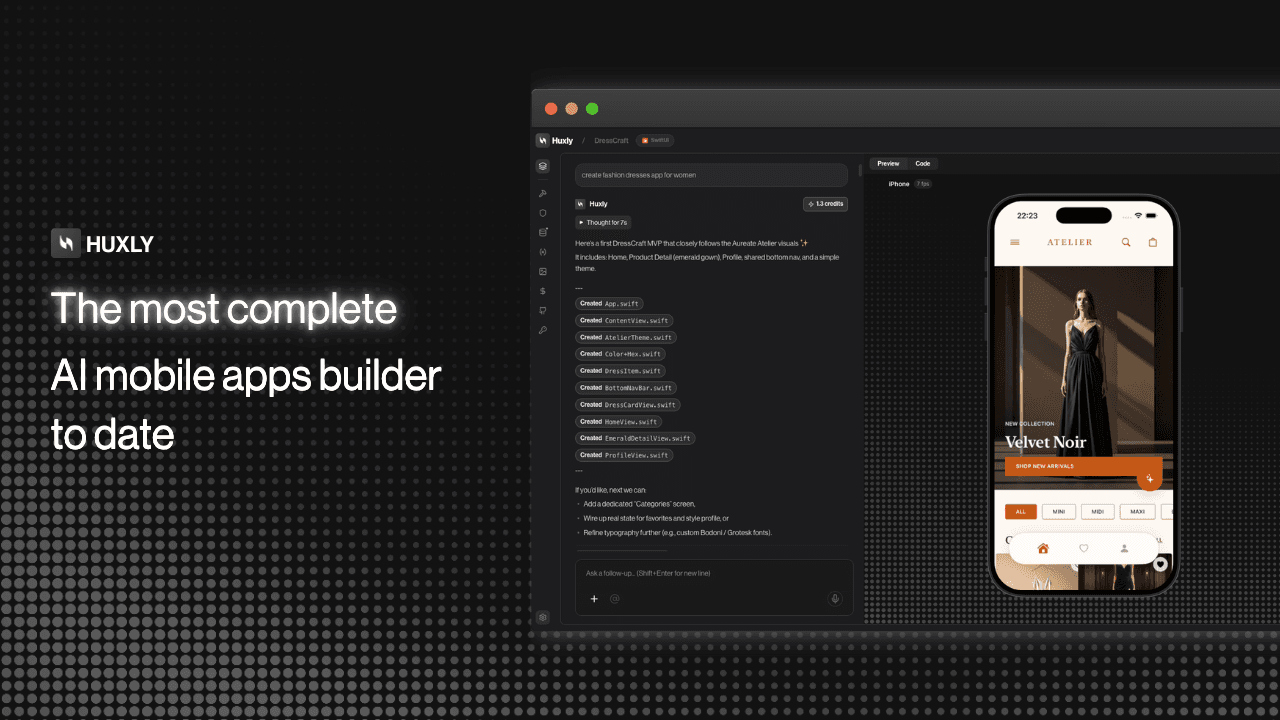
Introducing the Huxly AI Connector. Connect Claude Code, Claude.ai, Cursor, Codex, or Windsurf to Huxly in under a minute. Your AI can then read every file in your project, write and edit code, push changes to the live sandbox, watch the build until it goes green, and hand you a link to the running preview. The full development loop — without you touching a single file.
How it works. Huxly exposes a set of tools over the Model Context Protocol (MCP). When your AI calls these tools, it gets real data back — your actual file tree, the current build log, the live preview URL. It's not a simulation. It's your real project, running on real infrastructure, with the AI driving.
What your AI can do inside Huxly. Read any file. Search across your whole codebase. Create and edit files with surgical precision. Start the preview sandbox. Push all changes and get the full build log back inline — errors and all. If the build fails, it reads the log, fixes the code, and pushes again. It loops until it's green. You watch.
Zero Huxly credits consumed. All inference happens on your own AI subscription. Huxly only provides what your AI needs to work: your file storage, your build pipeline, and your live preview sandbox. That infrastructure is covered by your plan. You bring the brain, we provide the hands.
Works with every major AI tool. Claude.ai Pro and Max, Claude Code CLI, Cursor, Windsurf, Cline, Continue.dev, Codex CLI — anything that speaks MCP works today. If a new tool ships MCP support tomorrow, it works with Huxly the same day.
Getting connected takes sixty seconds. Open Settings in Huxly, go to the Claude MCP tab, generate an API key, and paste it into your AI tool's MCP config. That's it. Your AI now has full access to your projects.
The AI Connector is available on Developer, Business, and Max plans. If you've been wanting to use your Claude or Cursor subscription for something that actually ships — this is it. Read the setup guide to get connected in under a minute.